
We have partnered with uChoose Rewards® and LOVE MY CREDIT UNION REWARDS® to provide discounts on products and services that make life easier.
uChoose Rewards

Redeem your reward points just for using your St. Anne's debit card* or Rewards Credit Card. You can choose from things like merchandise, travel experiences and activities, event tickets, merchant gift cards, and more!
Sign up for Rewards:
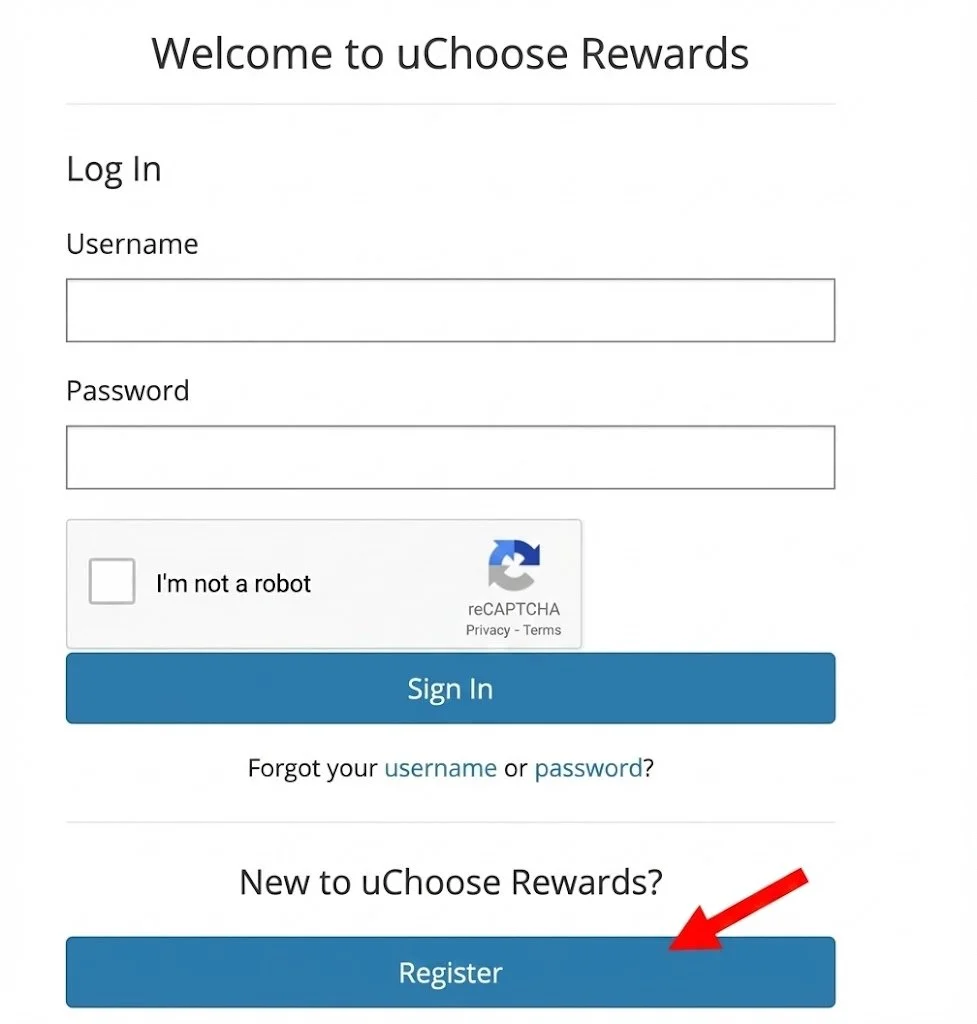
Click here to sign up for uChoose and then click on Register.
The registration process will now begin.
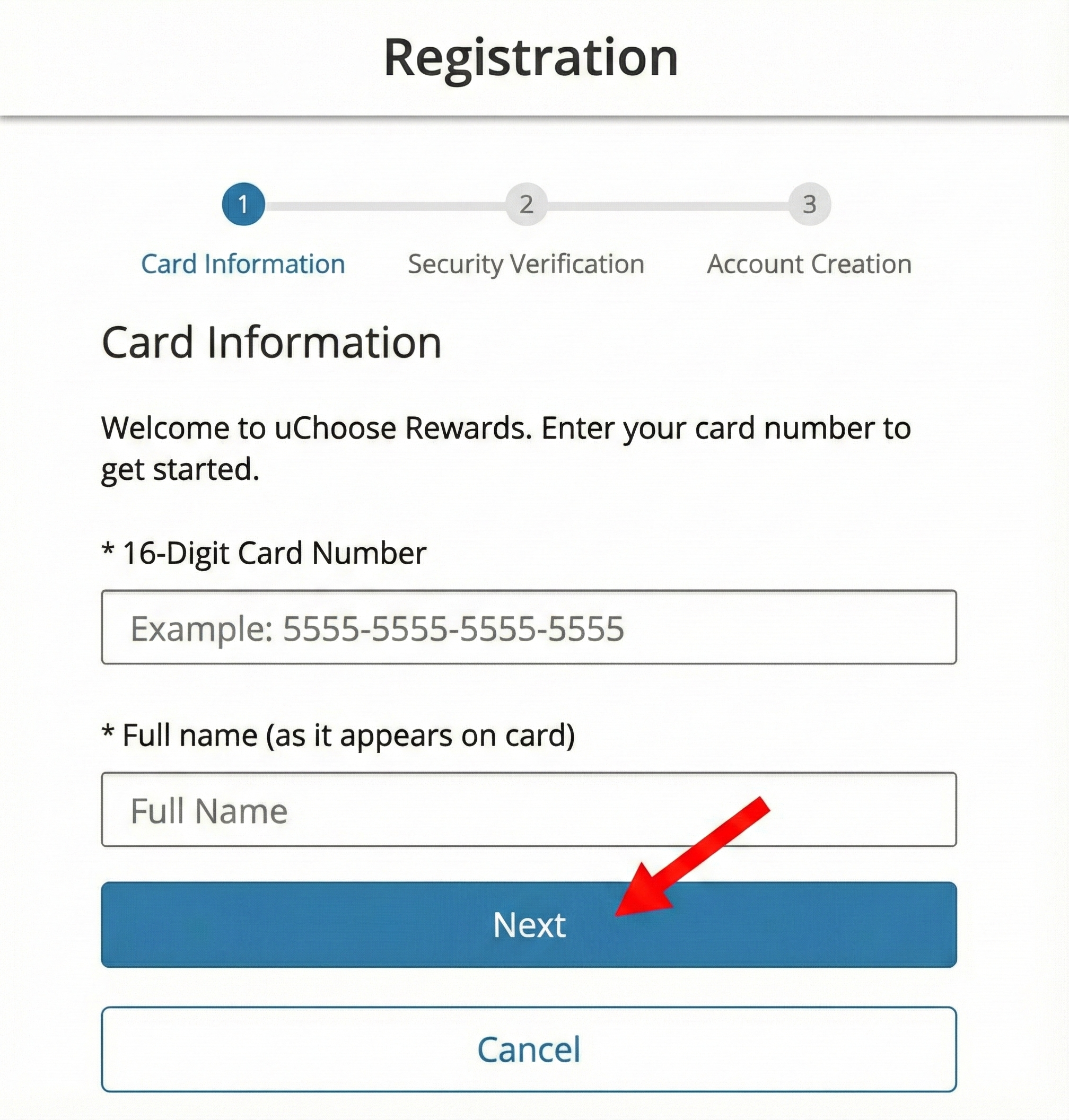
1. First step is to enter your Card Information. Enter the 16 digits from your debit card. Then click on Next
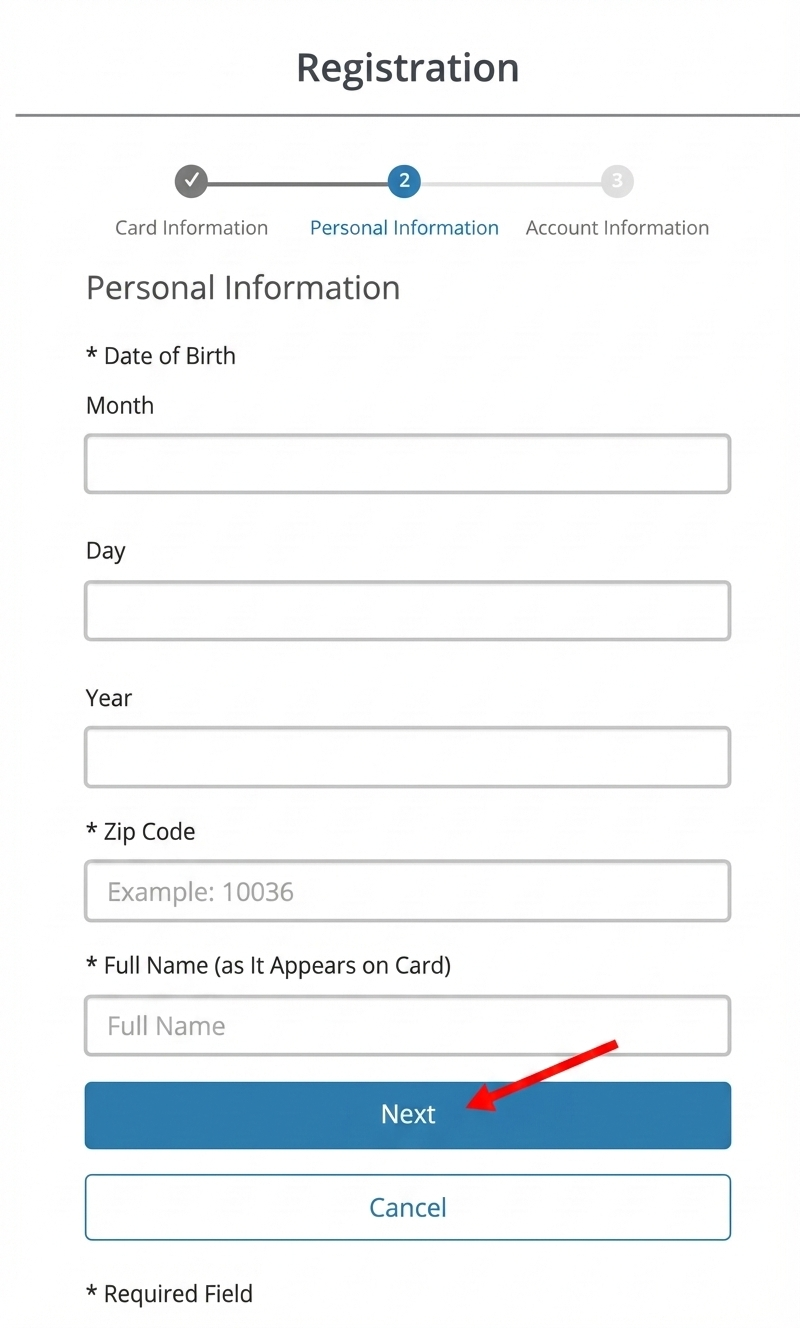
2. Enter Personal Information
3. Enter Account Information. Date of Birth fields are All numeric. Example: May would be 05
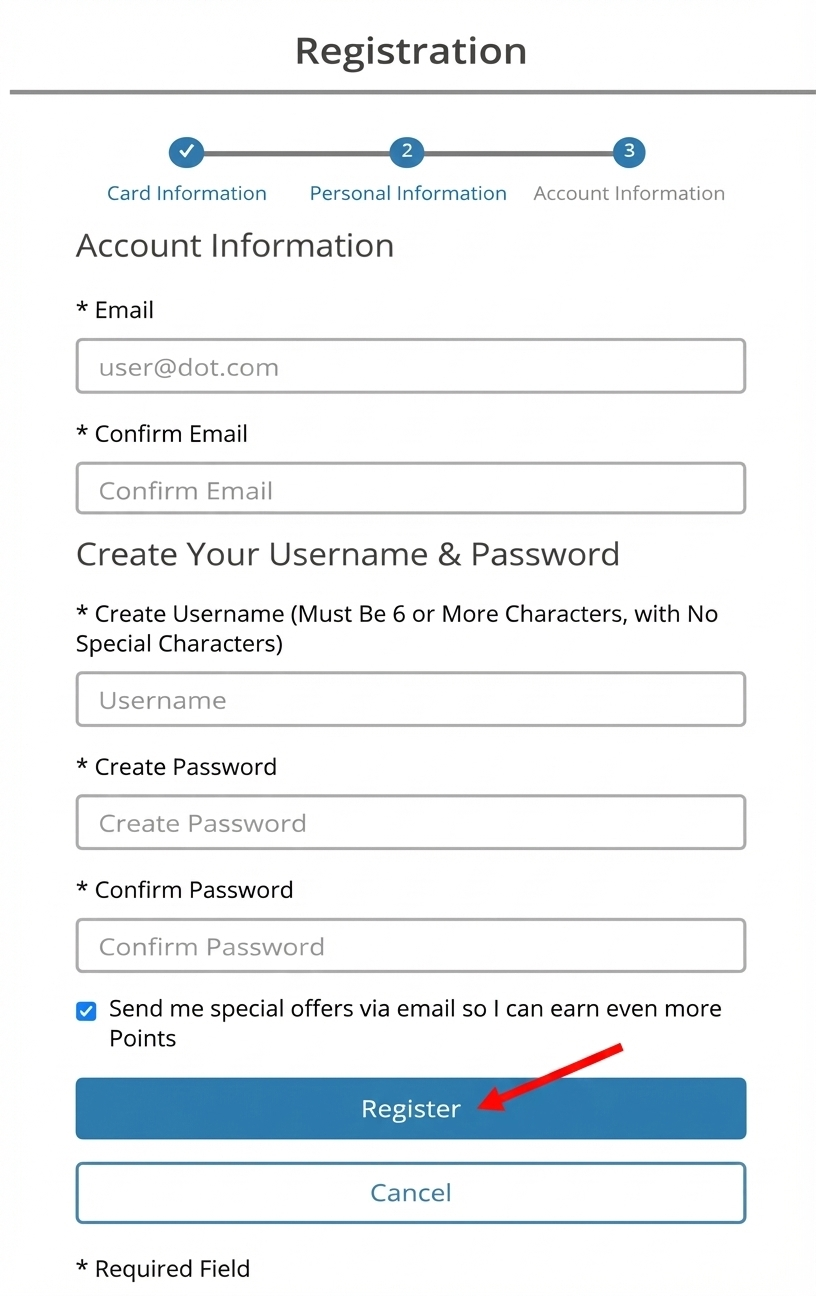
Enter the e-mail address.
Create the username and password.
Once completed, click on Register.
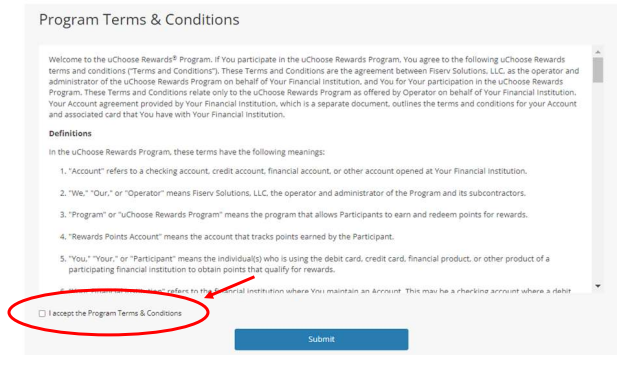
4. Review and accept the Program Terms and Conditions by checking the box “I accept the Program Terms and Conditions” and submit
You are now logged-in, registered and will obtain rewards!
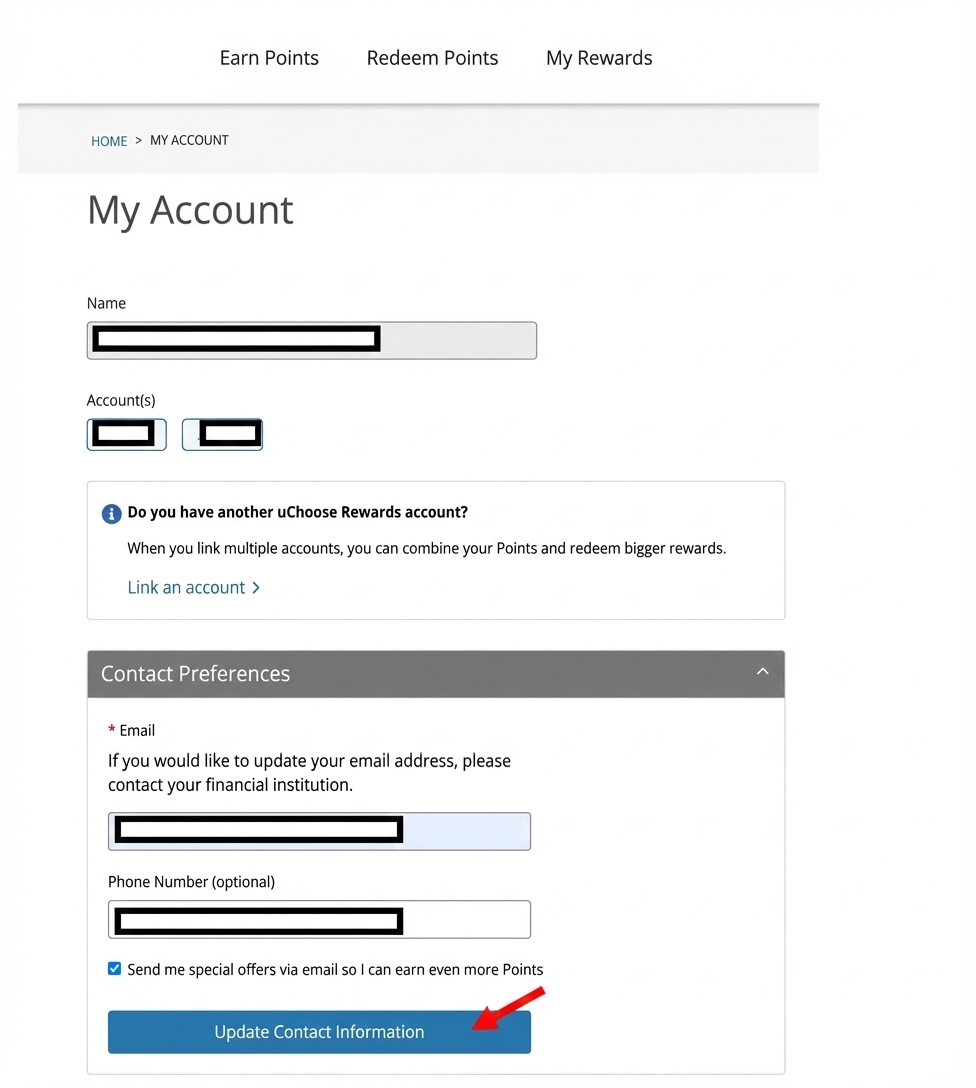
View your accumulated points and link other accounts together
1. Your points will be displayed in the upper right hand corner.
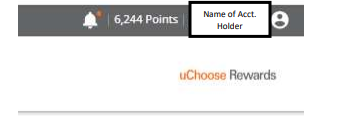
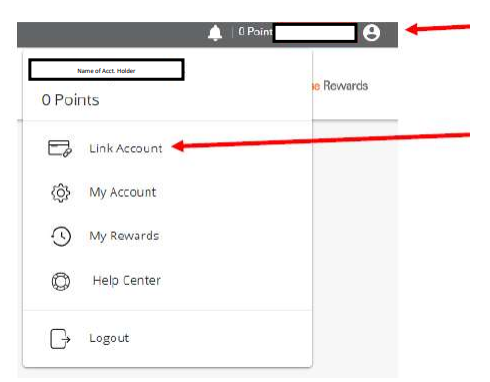
2. Just below your account name is link account-where you can pool or group points together under one account. To do this, click on the ‘user’ icon in the upper right hand corner.
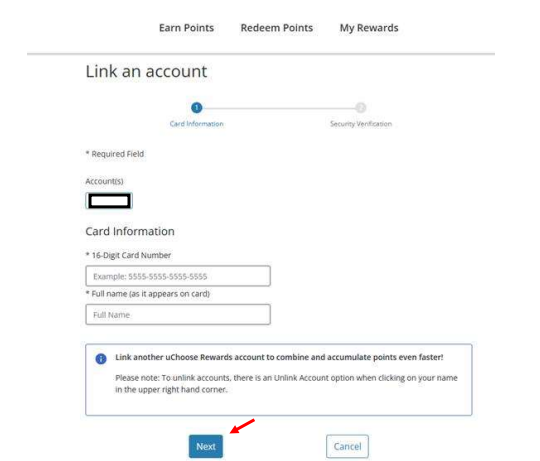
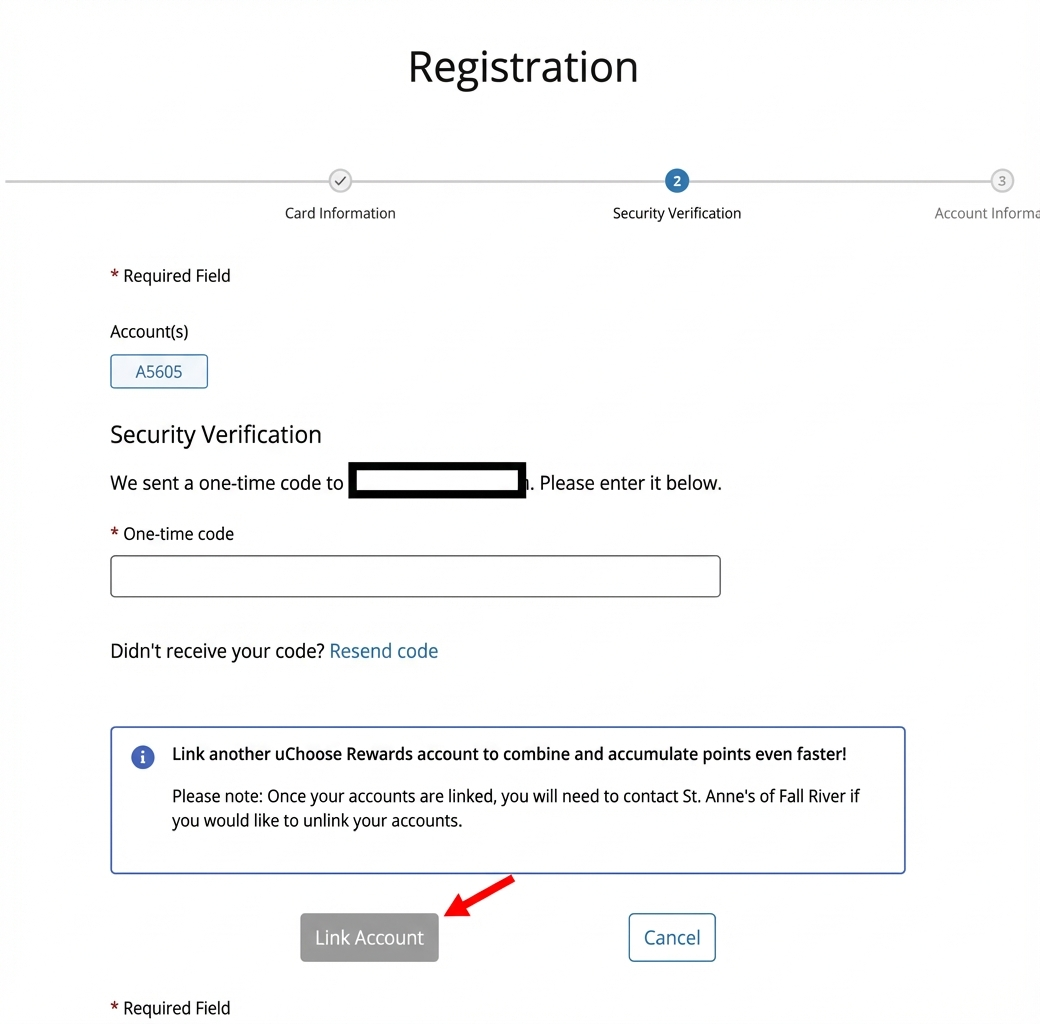
3. Enter the 16-digit Credit Card number and select Link Account
4. Next step is Security Verification. Enter the last four digit of the credit card holder’s Social Security Number. Enter the Full Name as it is shown on the front of the credit card. Then click on Link Account. A successfully linked message will appear. The last 4-digits of the account numbers will display. (NOTE: These are not the last four of the card numbers.)
Tax Services

Exclusive Savings on Tax Services